
What's new in Radiant
Details about all the most recent updates, new features, and other improvements to the Radiant app.
Dec 18, 2025
Radiant 0.18.3. Reorder folders
Get to what you need faster.
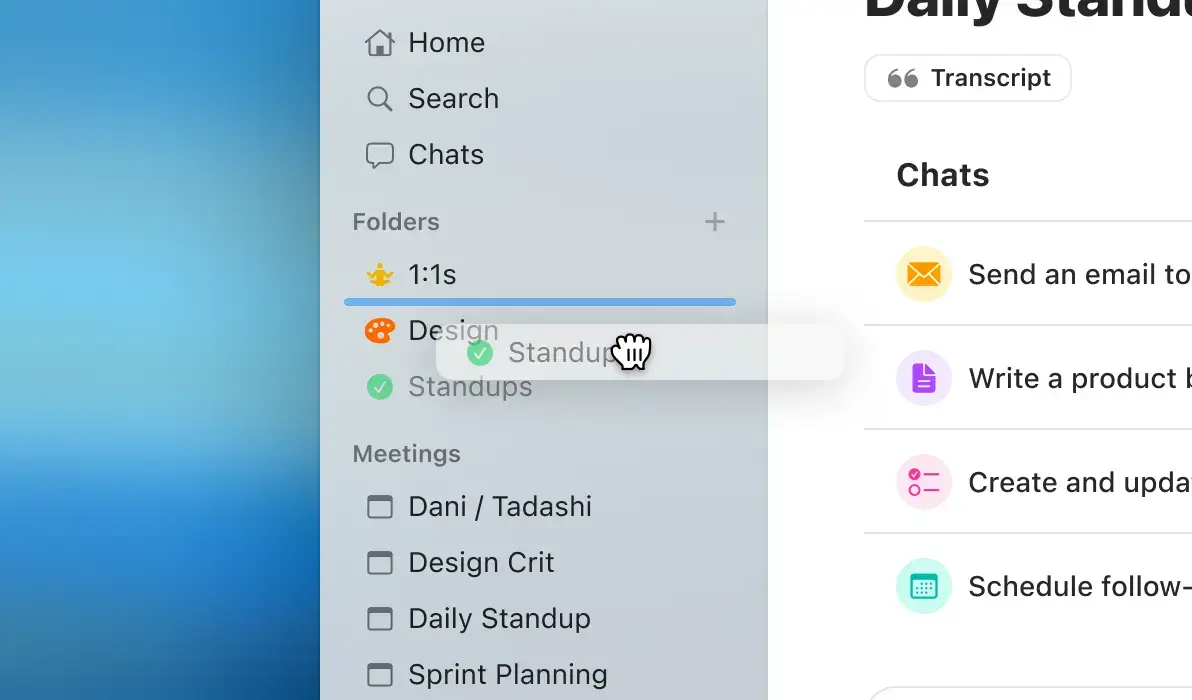
We've made it easier to customize your left-hand navigation. Rearrange folders in your preferred order and reposition them by dragging and dropping them with your mouse or trackpad.
Radiant 0.18.3. Reorder folders
Get to what you need faster.
We've made it easier to customize your left-hand navigation. Rearrange folders in your preferred order and reposition them by dragging and dropping them with your mouse or trackpad.
Dec 18, 2025
Radiant 0.18.3. Reorder folders
Get to what you need faster.
We've made it easier to customize your left-hand navigation. Rearrange folders in your preferred order and reposition them by dragging and dropping them with your mouse or trackpad.
Dec 9, 2025
Radiant 0.18.0: Folders
Create folders to better organize your meetings, notes, and related documents.
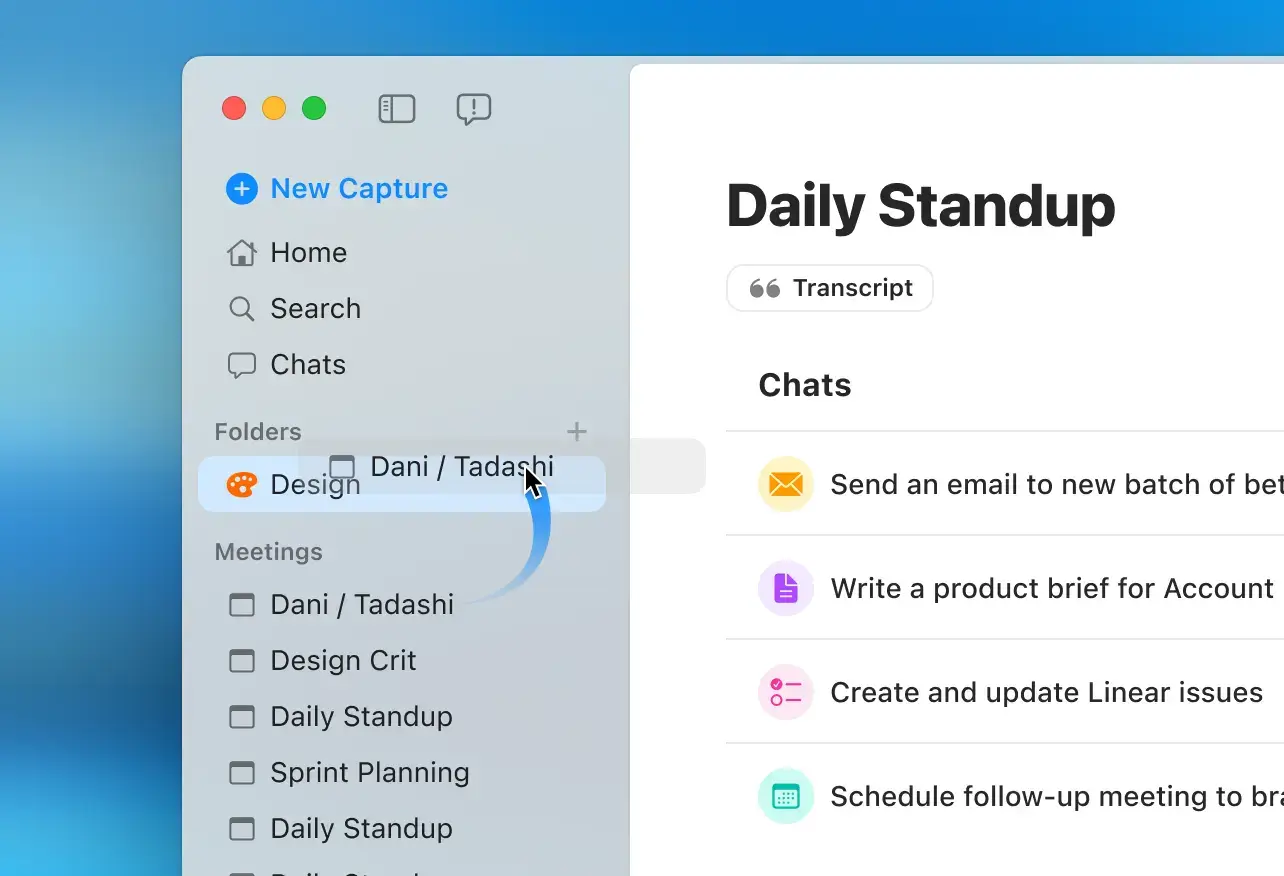
Arrange and group your meetings by attendees, project, type of meeting—however you see fit—into one single space.
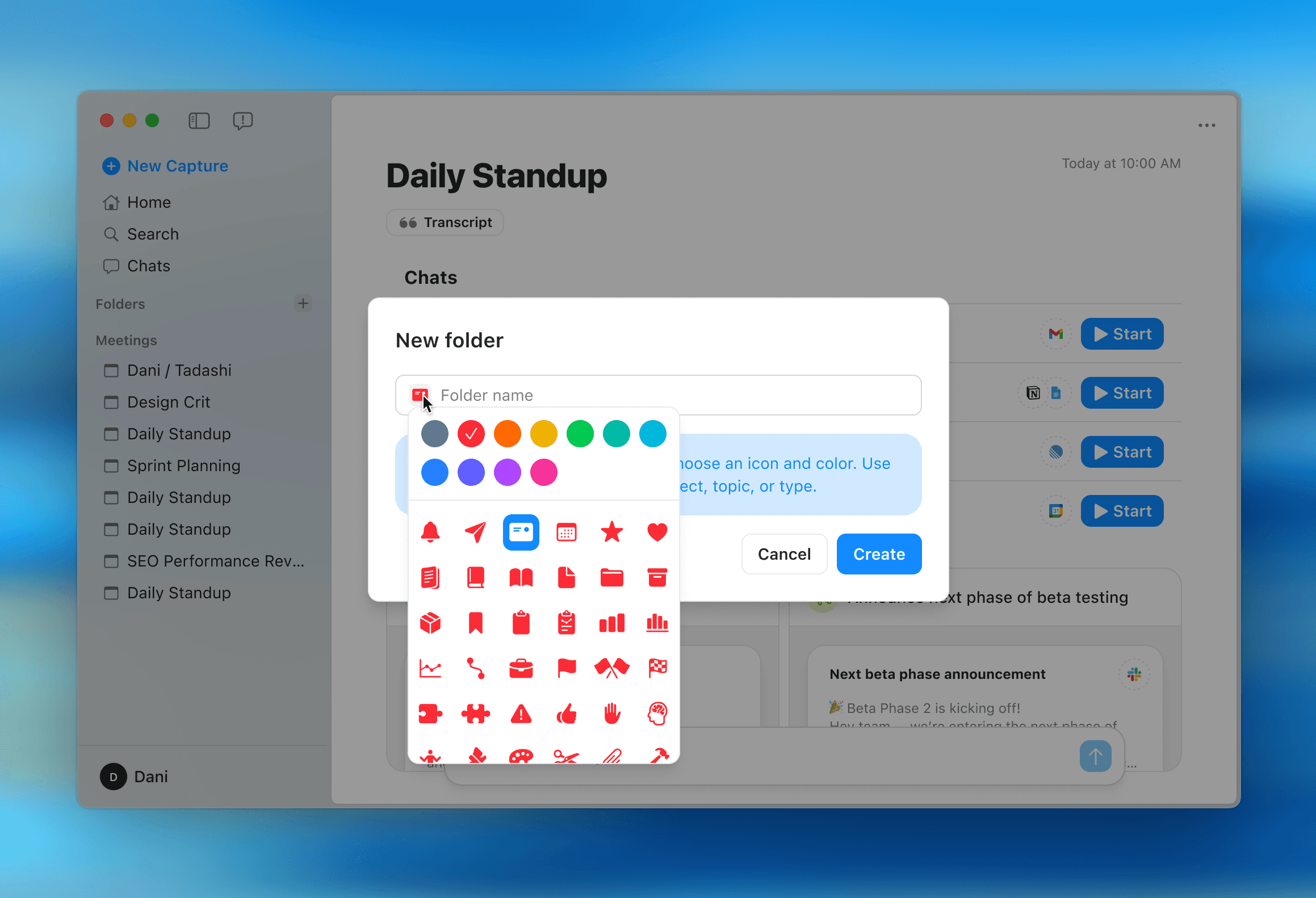
Click on the + next to Folders in the left navigation to choose an icon, color, and folder name. Drag individual meetings into a folder to easily add it to an existing folder.
Learn more about how to use folders in our Help Center.
Radiant 0.18.0: Folders
Create folders to better organize your meetings, notes, and related documents.
Arrange and group your meetings by attendees, project, type of meeting—however you see fit—into one single space.
Click on the + next to Folders in the left navigation to choose an icon, color, and folder name. Drag individual meetings into a folder to easily add it to an existing folder.
Learn more about how to use folders in our Help Center.
Dec 9, 2025
Radiant 0.18.0: Folders
Create folders to better organize your meetings, notes, and related documents.
Arrange and group your meetings by attendees, project, type of meeting—however you see fit—into one single space.
Click on the + next to Folders in the left navigation to choose an icon, color, and folder name. Drag individual meetings into a folder to easily add it to an existing folder.
Learn more about how to use folders in our Help Center.
Dec 5, 2025
Radiant 0.17.5: Notepad
Minimize your notepad during meetings.
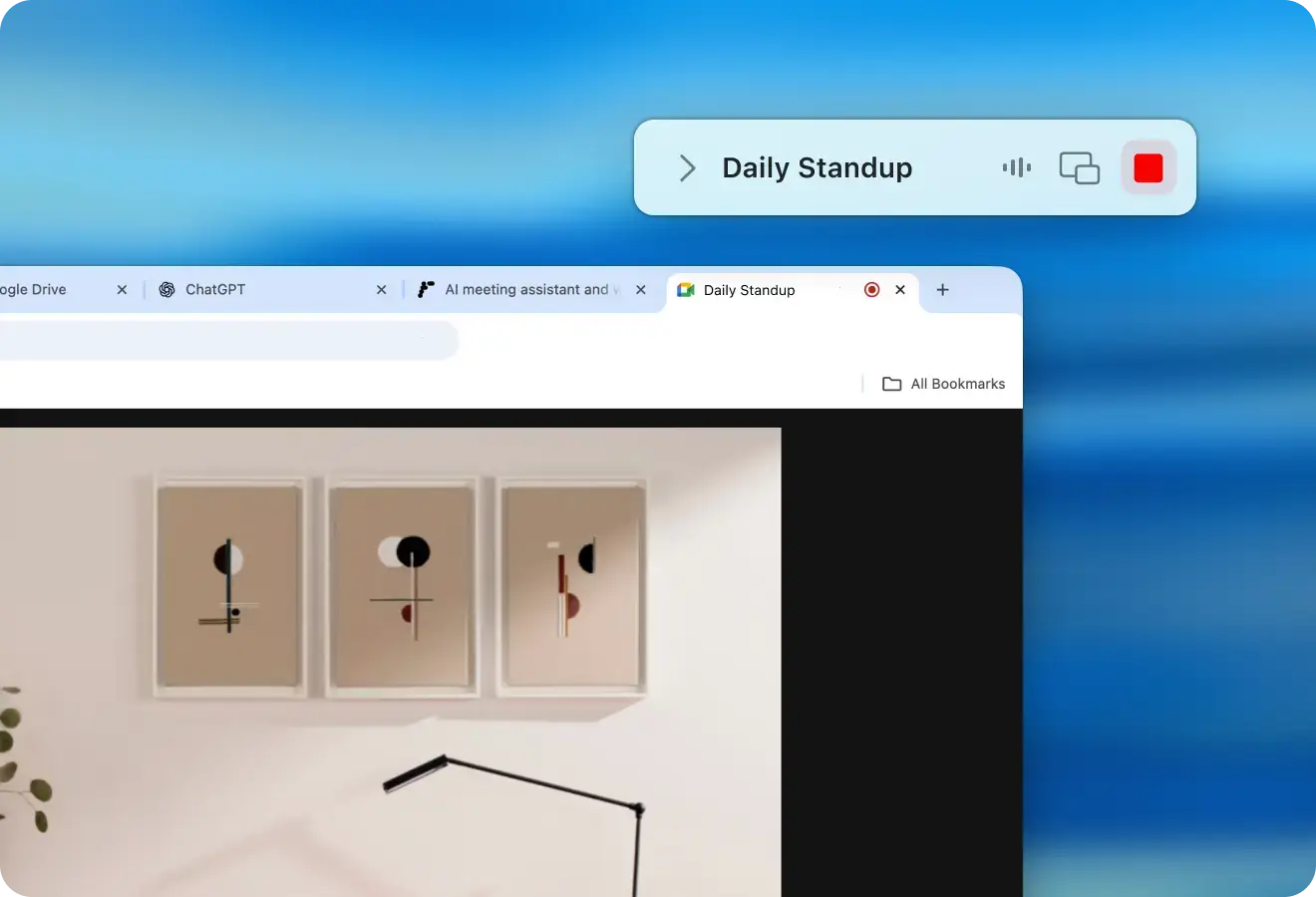
Clear more space on your desktop so you can more easily focus on and be present in the meeting at hand. While you're recording, click on the notepad's lefthand arrow next to the meeting title to collapse the notepad.
Radiant 0.17.5: Notepad
Minimize your notepad during meetings.
Clear more space on your desktop so you can more easily focus on and be present in the meeting at hand. While you're recording, click on the notepad's lefthand arrow next to the meeting title to collapse the notepad.
Dec 5, 2025
Radiant 0.17.5: Notepad
Minimize your notepad during meetings.
Clear more space on your desktop so you can more easily focus on and be present in the meeting at hand. While you're recording, click on the notepad's lefthand arrow next to the meeting title to collapse the notepad.
Nov 19, 2025
Radiant 0.17.3: Search
Find what you need—fast.
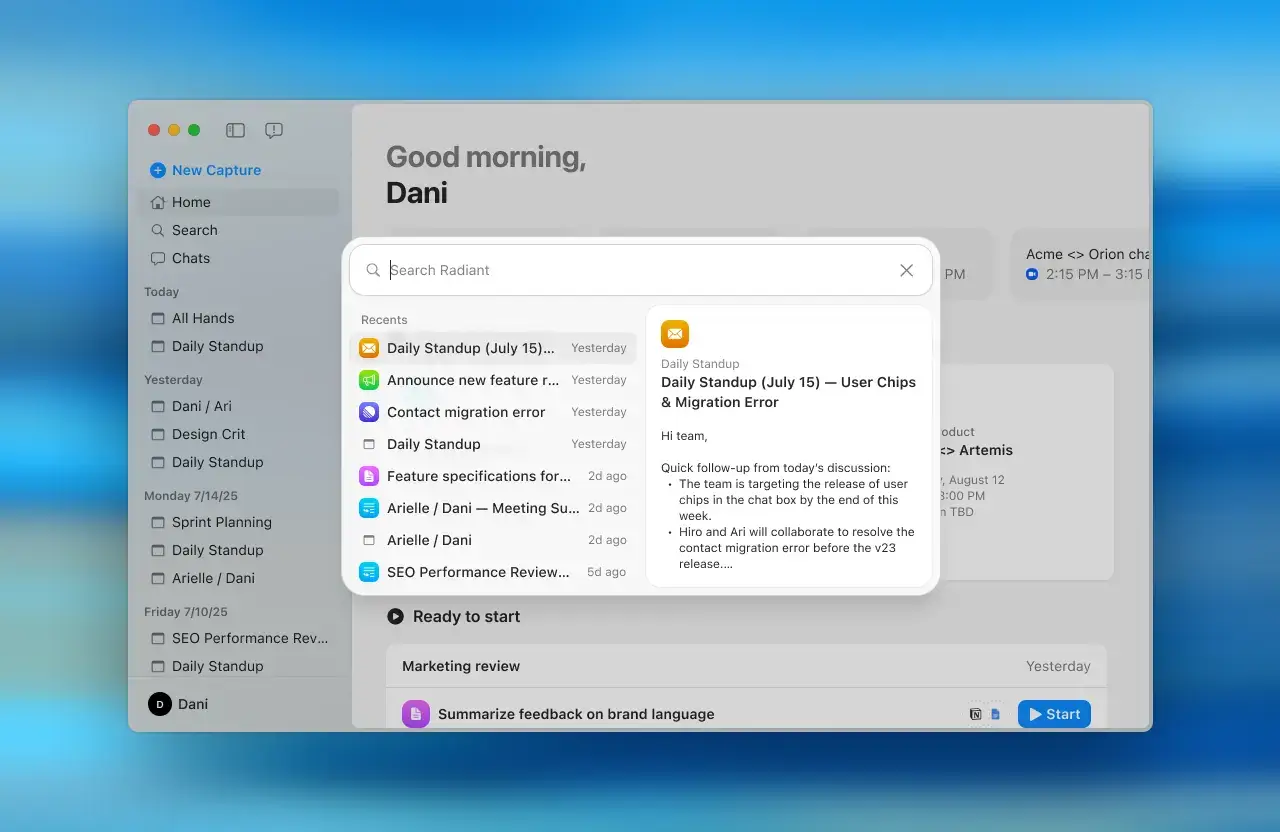
Click on Search in the upper lefthand navigation. Alternatively, on your keyboard, long-press CMD, then press K simultaneously.
We also launched:
🛠️ Speedy improvements to meeting summary emails. Expect more concise summaries and formatting that catches you up quickly.
↔️ Resize left navigation. Make your list of meetings easier to read by hovering on the right-hand border to customize the width of the left column.
Radiant 0.17.3: Search
Find what you need—fast.
Click on Search in the upper lefthand navigation. Alternatively, on your keyboard, long-press CMD, then press K simultaneously.
We also launched:
🛠️ Speedy improvements to meeting summary emails. Expect more concise summaries and formatting that catches you up quickly.
↔️ Resize left navigation. Make your list of meetings easier to read by hovering on the right-hand border to customize the width of the left column.
Nov 19, 2025
Radiant 0.17.3: Search
Find what you need—fast.
Click on Search in the upper lefthand navigation. Alternatively, on your keyboard, long-press CMD, then press K simultaneously.
We also launched:
🛠️ Speedy improvements to meeting summary emails. Expect more concise summaries and formatting that catches you up quickly.
↔️ Resize left navigation. Make your list of meetings easier to read by hovering on the right-hand border to customize the width of the left column.
Nov 13, 2025
Radiant 0.17.1: Discord, and emailing meeting notes
Record Discord meeting, and email meeting notes with one-click.
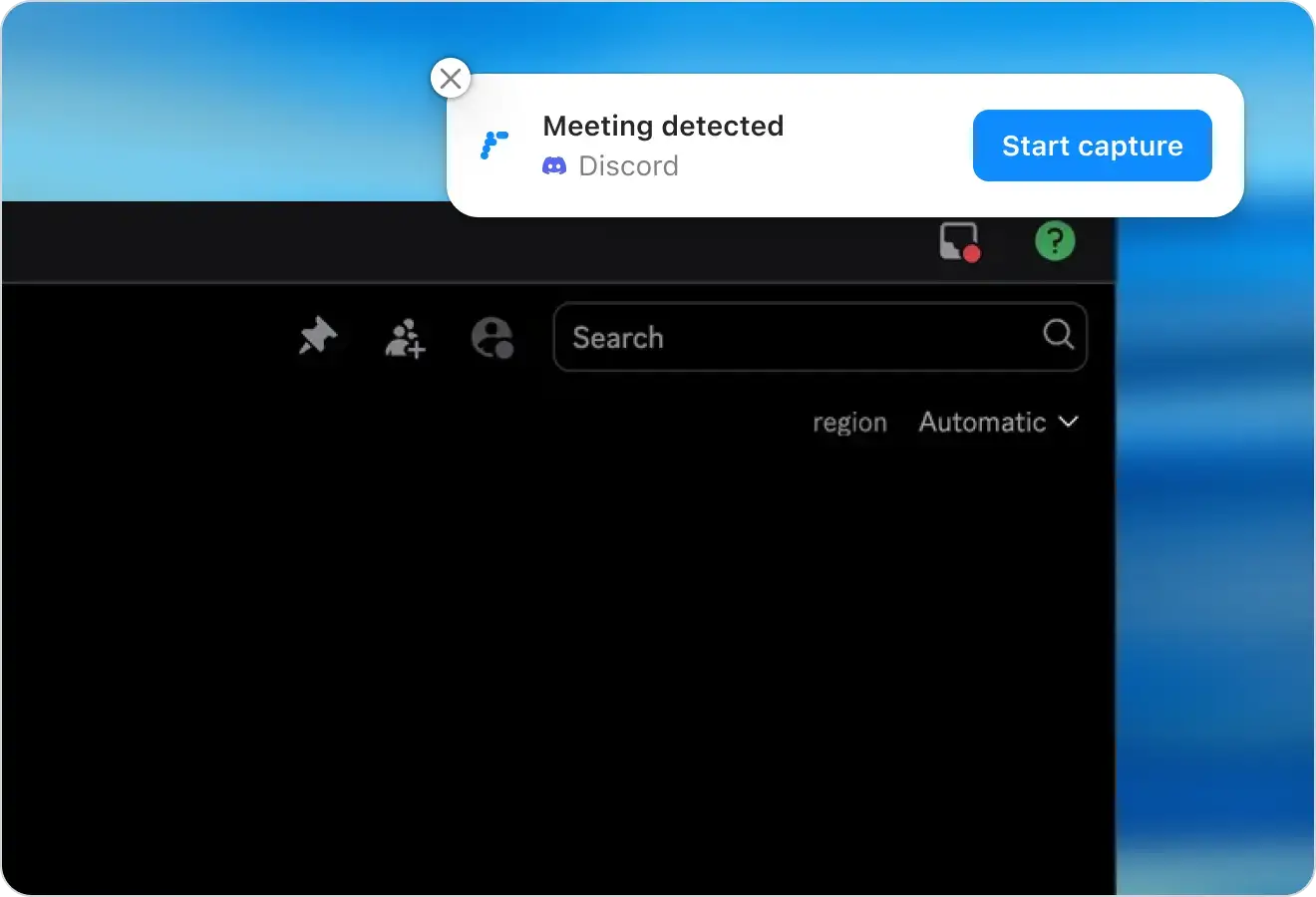
Radiant is now compatible with video and voice calls on Discord. Just start a call with Radiant running in, and click join in the desktop notification.
To speed up your workflow, you can now quickly email the summary of the meeting to all meeting participants. We'll automatically send to the emails listed on your Google Calendar or Outlook event for that meeting.
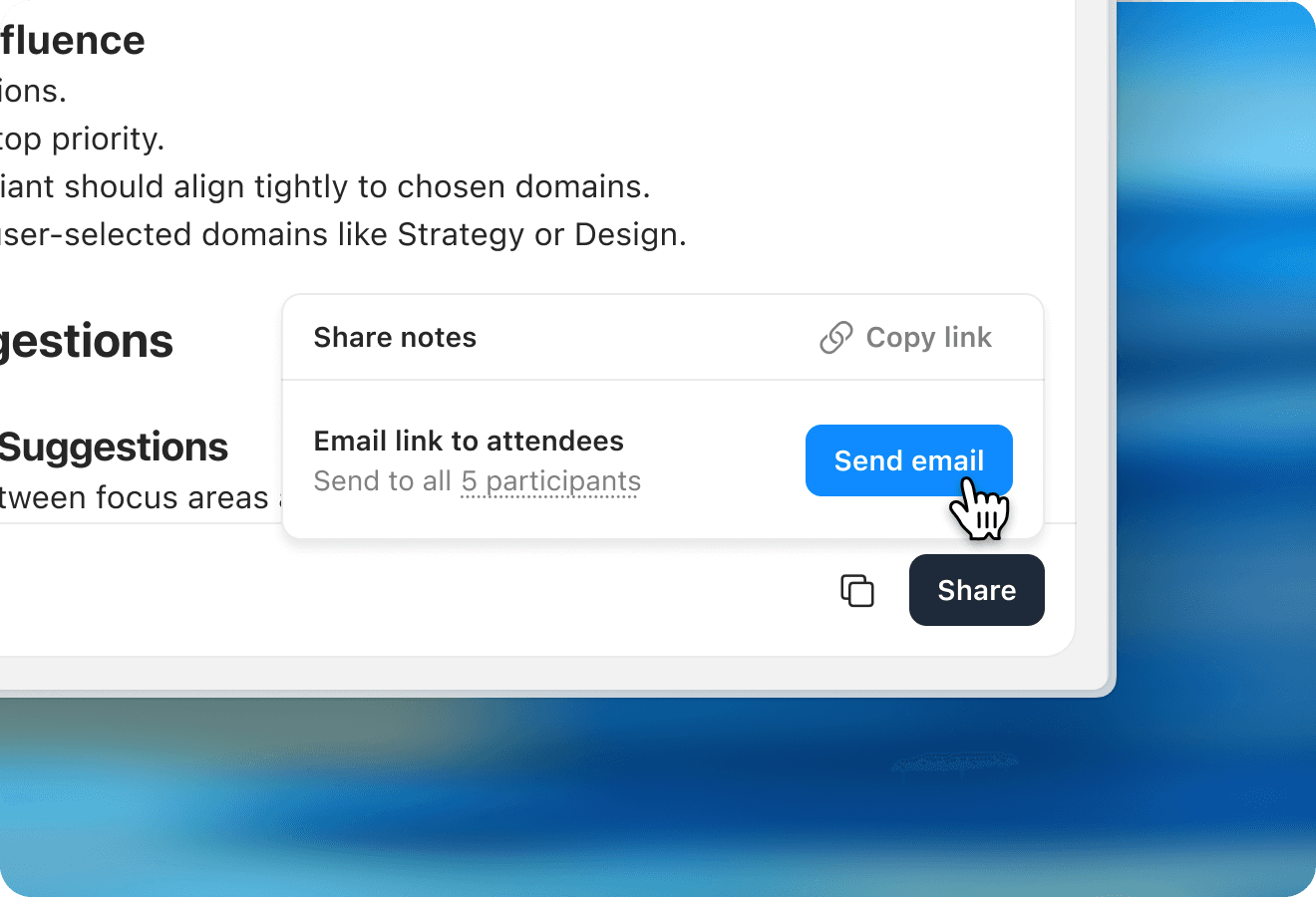
Radiant 0.17.1: Discord, and emailing meeting notes
Record Discord meeting, and email meeting notes with one-click.
Radiant is now compatible with video and voice calls on Discord. Just start a call with Radiant running in, and click join in the desktop notification.
To speed up your workflow, you can now quickly email the summary of the meeting to all meeting participants. We'll automatically send to the emails listed on your Google Calendar or Outlook event for that meeting.
Nov 13, 2025
Radiant 0.17.1: Discord, and emailing meeting notes
Record Discord meeting, and email meeting notes with one-click.
Radiant is now compatible with video and voice calls on Discord. Just start a call with Radiant running in, and click join in the desktop notification.
To speed up your workflow, you can now quickly email the summary of the meeting to all meeting participants. We'll automatically send to the emails listed on your Google Calendar or Outlook event for that meeting.
Nov 5, 2025
Radiant 0.17: Shortcuts
Stop rewriting the same prompts.
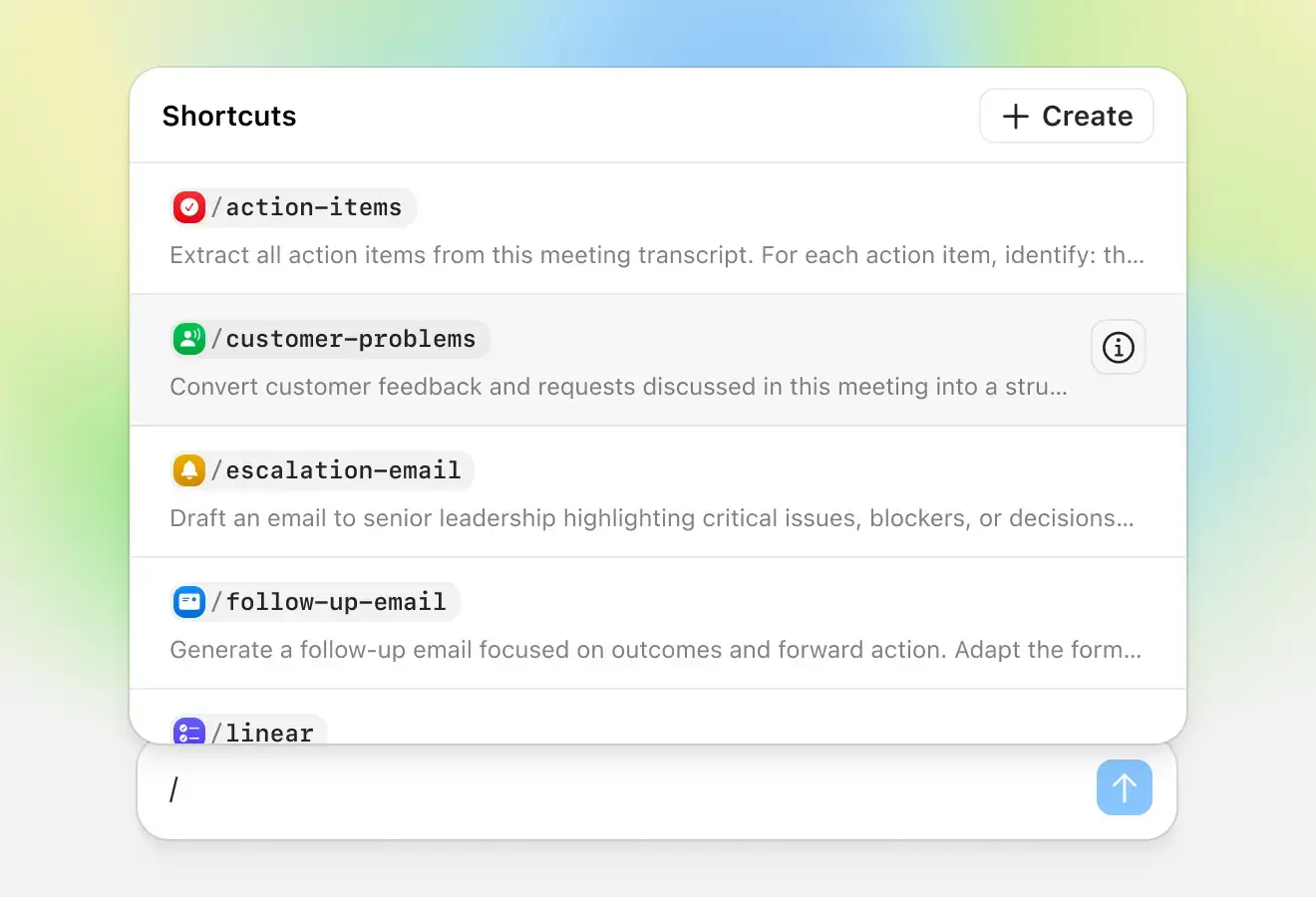
Stop rewriting the same prompts. Shortcuts let you create the meeting outputs you use most—follow-up emails, calendar invites, Linear issues, and more—tuned exactly how you need them, ready to reuse anytime.
What you can do:
Use included shortcuts like /follow-up-email, /action-items, and /schedule—edit them to match your workflows or create your own
Set shortcuts to start automatically after meetings end
Share shortcuts with your team to standardize workflows
Access them instantly from chat by typing /
Radiant 0.17: Shortcuts
Stop rewriting the same prompts.
Stop rewriting the same prompts. Shortcuts let you create the meeting outputs you use most—follow-up emails, calendar invites, Linear issues, and more—tuned exactly how you need them, ready to reuse anytime.
What you can do:
Use included shortcuts like /follow-up-email, /action-items, and /schedule—edit them to match your workflows or create your own
Set shortcuts to start automatically after meetings end
Share shortcuts with your team to standardize workflows
Access them instantly from chat by typing /
Nov 5, 2025
Radiant 0.17: Shortcuts
Stop rewriting the same prompts.
Stop rewriting the same prompts. Shortcuts let you create the meeting outputs you use most—follow-up emails, calendar invites, Linear issues, and more—tuned exactly how you need them, ready to reuse anytime.
What you can do:
Use included shortcuts like /follow-up-email, /action-items, and /schedule—edit them to match your workflows or create your own
Set shortcuts to start automatically after meetings end
Share shortcuts with your team to standardize workflows
Access them instantly from chat by typing /
Oct 9, 2025
Radiant 0.16.1: Account settings
Improved account settings.
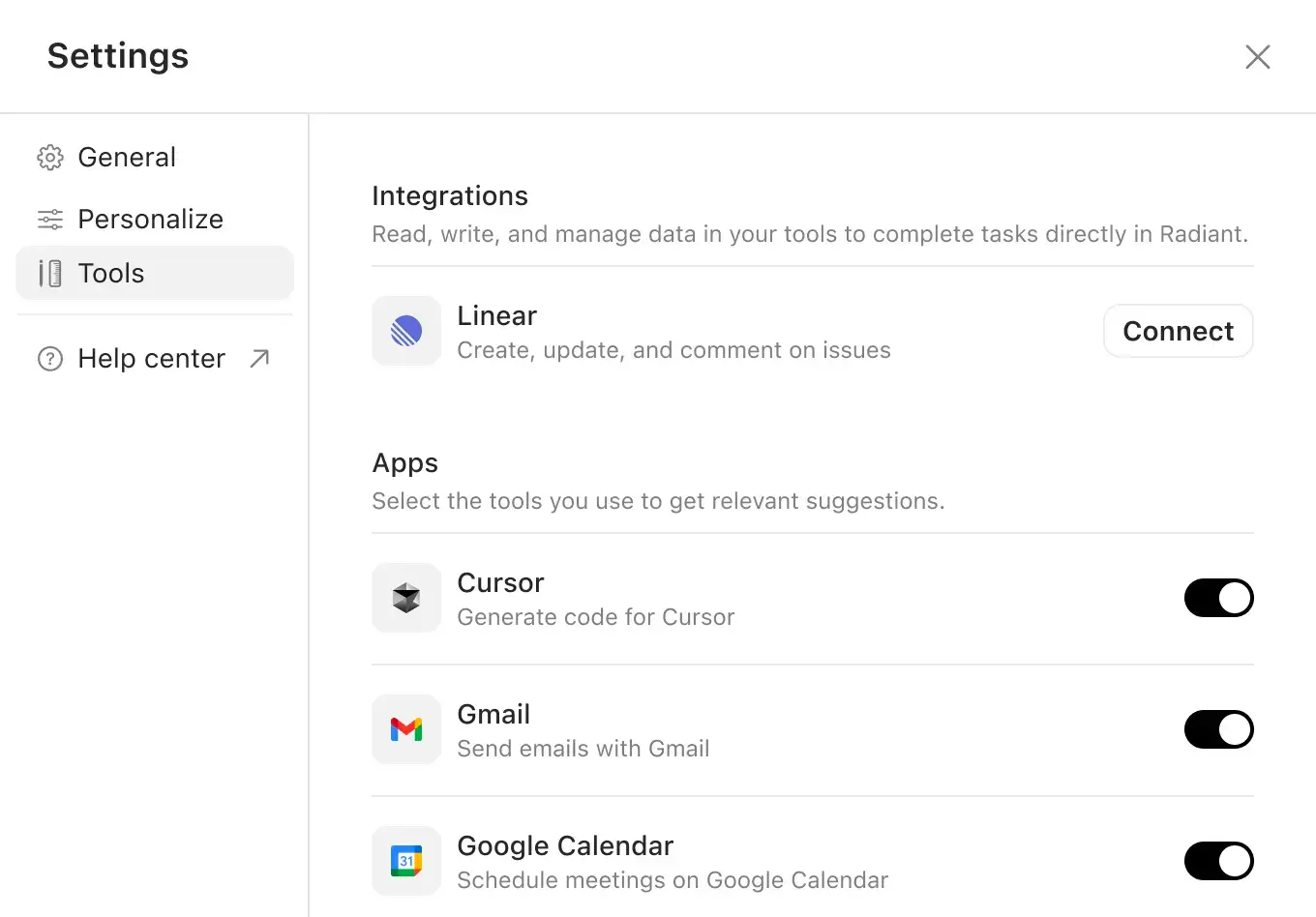
Radiant's new Account Settings makes managing your preferences and integrations more consolidated and streamlined. Edit your personal information, make changes to your focus area selections, and keep your apps preferences up-to-date to get the most relevant actions after meetings.
Radiant 0.16.1: Account settings
Improved account settings.
Radiant's new Account Settings makes managing your preferences and integrations more consolidated and streamlined. Edit your personal information, make changes to your focus area selections, and keep your apps preferences up-to-date to get the most relevant actions after meetings.
Oct 9, 2025
Radiant 0.16.1: Account settings
Improved account settings.
Radiant's new Account Settings makes managing your preferences and integrations more consolidated and streamlined. Edit your personal information, make changes to your focus area selections, and keep your apps preferences up-to-date to get the most relevant actions after meetings.
Oct 3, 2025
Radiant 0.16: Minimized Recording Mode
Plus, we've made attaching calendar events and updating easier.
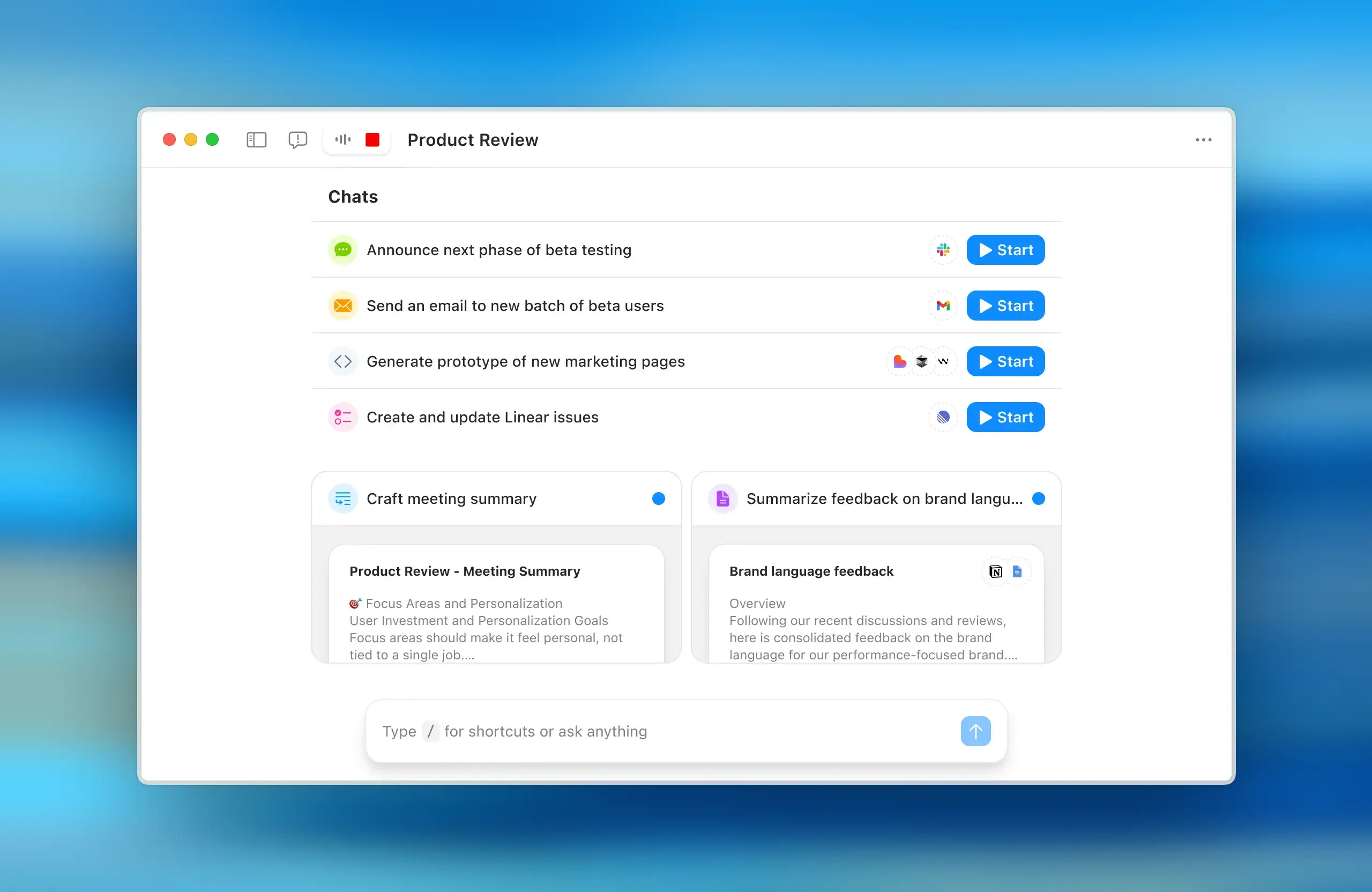
Ever wanted to reference a previous meeting, chat, or document while you're actively recording? With the new minimized recording mode, Radiant will keep capturing all the important details of your current meeting while you access the rest of the app and browse past meetings with ease. Quickly restore your notepad by clicking on the audio wave.
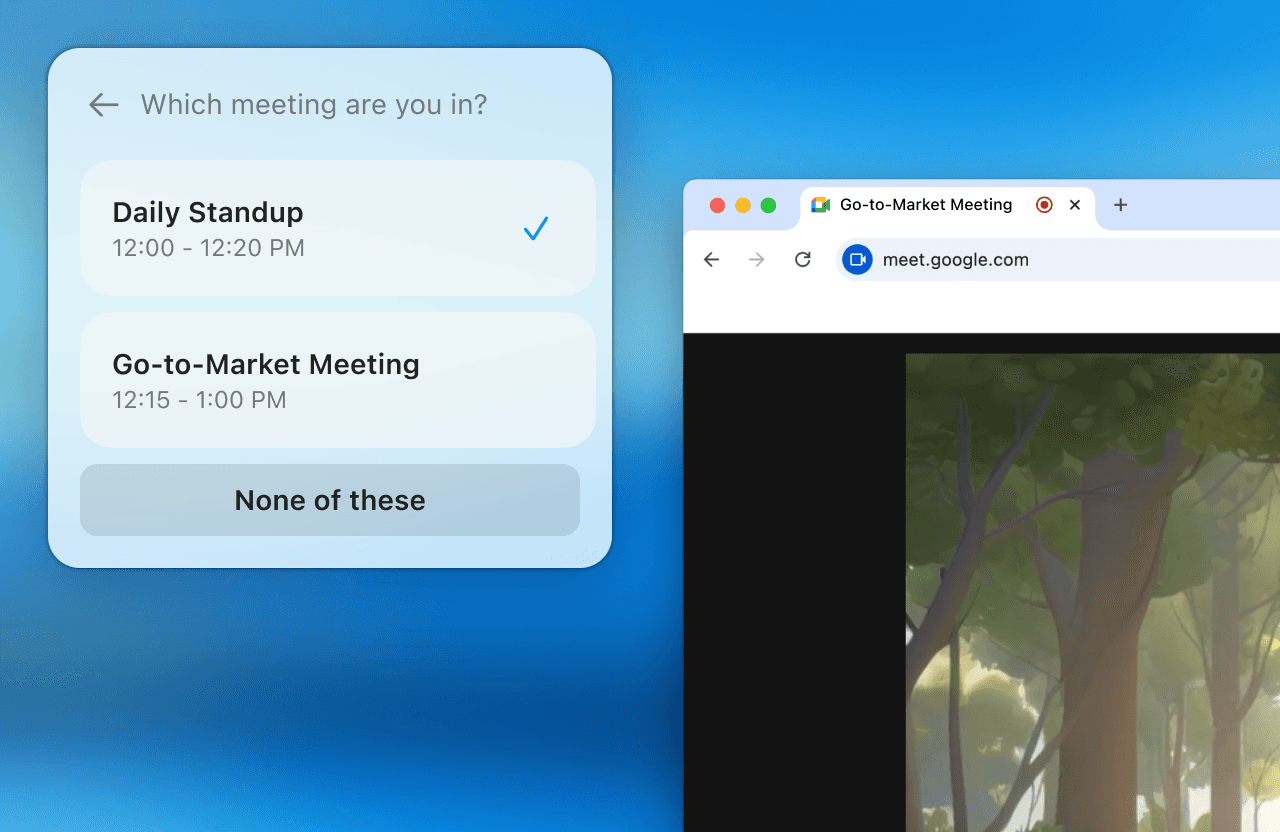
Selecting the calendar event to attach to any given capture is now possible during a meeting and afterward. For those with frequent overlapping meetings, Radiant now allows you to tell us which event you'd like attached to a meeting so that we can generate the most relevant suggested follow-up actions. While you're recording a meeting, click on the meeting title above your notepad. After a meeting ends, you can also change the attached calendar event by navigating to the Capture View's calendar event button, next to your meeting transcript.
We've also made it easier than ever to keep updated with the latest version of Radiant. Click our new banner announcement once to automatically quit and relaunch the app, and you'll be up and running with the latest in a snap.
Radiant 0.16: Minimized Recording Mode
Plus, we've made attaching calendar events and updating easier.
Ever wanted to reference a previous meeting, chat, or document while you're actively recording? With the new minimized recording mode, Radiant will keep capturing all the important details of your current meeting while you access the rest of the app and browse past meetings with ease. Quickly restore your notepad by clicking on the audio wave.
Selecting the calendar event to attach to any given capture is now possible during a meeting and afterward. For those with frequent overlapping meetings, Radiant now allows you to tell us which event you'd like attached to a meeting so that we can generate the most relevant suggested follow-up actions. While you're recording a meeting, click on the meeting title above your notepad. After a meeting ends, you can also change the attached calendar event by navigating to the Capture View's calendar event button, next to your meeting transcript.
We've also made it easier than ever to keep updated with the latest version of Radiant. Click our new banner announcement once to automatically quit and relaunch the app, and you'll be up and running with the latest in a snap.
Oct 3, 2025
Radiant 0.16: Minimized Recording Mode
Plus, we've made attaching calendar events and updating easier.
Ever wanted to reference a previous meeting, chat, or document while you're actively recording? With the new minimized recording mode, Radiant will keep capturing all the important details of your current meeting while you access the rest of the app and browse past meetings with ease. Quickly restore your notepad by clicking on the audio wave.
Selecting the calendar event to attach to any given capture is now possible during a meeting and afterward. For those with frequent overlapping meetings, Radiant now allows you to tell us which event you'd like attached to a meeting so that we can generate the most relevant suggested follow-up actions. While you're recording a meeting, click on the meeting title above your notepad. After a meeting ends, you can also change the attached calendar event by navigating to the Capture View's calendar event button, next to your meeting transcript.
We've also made it easier than ever to keep updated with the latest version of Radiant. Click our new banner announcement once to automatically quit and relaunch the app, and you'll be up and running with the latest in a snap.