

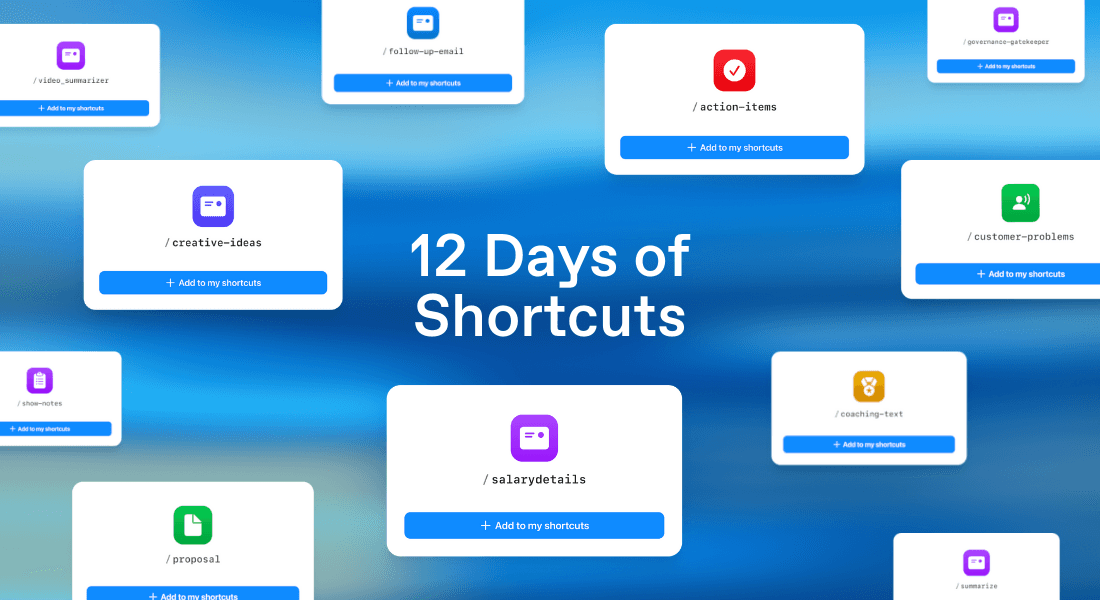
This December, we tried something new. To celebrate the launch of Radiant’s shortcut feature, we showcased the shortcuts our early users already rely on across 12 working days. The 12 Days of Shortcuts series took off fast. Each day revealed a new way people use Radiant to turn meetings into meaningful work in seconds.
Some shortcuts were practical workhorses. Some solved pain points every agency, consultant, or creator knows well. And a few were posted simply because they made us smile. Now that the series has wrapped, this roundup brings everything together so you can catch up, steal your favorites, and get ideas for your own workflows.
The shortcuts
Twelve weekdays. Twelve shortcuts. A whole lot of “wait, I can really do that in Radiant?”
Here’s the full lineup.
Day 1: /creative-ideas
Sean Nolan at Mango Media shared /creative-ideas, his shortcut for turning early client conversations into solid creative starting points. The shortcut pulls out the client’s expectations, constraints and project goals, and generates a list of ideas that are both ambitious and feasible within scope. It keeps the creative process grounded while still giving Sean the momentum he needs to move straight into concept development.
Here’s what it delivers:
A curated list of viable creative ideas based on real client input.
Concepts aligned tightly with scope, goals and expectations.
A faster path from conversation to first-round creative.
A practical antidote to the blank page.
Day 2: /summarize
Austin Rehorn created /summarize to produce structured, reliable meeting summaries without any manual shaping. Radiant analyzes the full meeting transcript and breaks it into the sections teams actually need: objectives, key discussion points, decisions, action items with owners and deadlines, unresolved questions, next steps and notable ideas.
It even surfaces issues or concerns raised during the call. The result is a clean, comprehensive summary that’s instantly useful for busy teams juggling multiple projects.
Here’s what it delivers:
A clear breakdown of meeting objectives and agenda.
Key topics and decisions captured with context.
Action items assigned to owners with suggested deadlines.
Unresolved questions and next steps neatly surfaced.
Notable ideas worth exploring further.
Issues or blockers flagged for follow-up.
Day 3: /coaching-text
Sara Reichenbach works with athletes pushing for elite performance, and she knows inboxes aren’t where accountability lives. That’s why she uses /coaching-text. The shortcut drafts a concise text message that captures the key points from the session, highlights action items for both coach and client, and mirrors the tone of the call. It delivers a quick reminder the client can act on immediately, helping them integrate insights into their day-to-day training and mindset.
Here’s what it delivers:
A short, personalised text that reinforces the session’s core ideas.
Clear action items for both coach and client.
Tone of voice matched to the conversation’s energy.
A fast, effective follow-up that strengthens commitment and progress.
Day 4: /follow-up-email

After coaching and sales calls, Brad Hussey uses /follow-up-email to turn a productive meeting into a crisp, forward-driving message in seconds. This shortcut focuses on outcomes, commitments and next steps, not a recap. Radiant adapts the tone and structure based on the meeting type—sales, internal, customer success or product—and immediately surfaces what was decided, who owns what and the deadlines attached.
It keeps momentum high and ensures that nothing slips through the cracks after an important conversation.
Here’s what it delivers:
A focused follow-up email anchored in decisions and actions.
Action items assigned to clear owners with suggested deadlines.
Key commitments and open questions captured without the fluff.
Formatting tailored to the meeting type for maximum clarity and impact.
Day 5: /salarydetails
Recruiters loved this one. Thomas Heywood at WeEngage Group built /salarydetails to extract every detail a candidate shares about compensation and notice period without digging through transcripts manually. Radiant pulls out salary expectations, preferred ranges, non-negotiables, bonus structure, benefits mentions and notice period nuances.
If the candidate referenced exceptions, constraints or flexibility, those get surfaced too. It’s a clean, recruiter-ready snapshot that saves time and reduces the risk of missing details that matter later.
Here’s what it delivers:
A clear statement of the candidate’s salary expectations and preferred structure.
Notice period details, including special conditions or flexibility.
Granular insights into compensation signals mentioned during the call.
A recruiter-friendly summary that cuts out transcript hunting entirely.
Day 6: /proposal
Arcjet founder Zevy Blockh designed /proposal because proposal writing was holding him back from the creative work he actually cares about. This shortcut listens to the meeting, pulls out the client’s goals, constraints and priorities, and drafts a clean proposal with two pricing tiers. If the transcript mentions a budget, Radiant weaves it in. And because the proposal speaks directly to the client in second person, the result feels personal, relevant and ready to refine.
Here’s what it delivers:
A proposal draft tailored to the client’s needs and language.
Two pricing tiers based on scope and constraints.
Budget alignment when numbers appear in the conversation.
A structure that moves from goals to approach to investment smoothly.
Day 7: /show-notes
Joe Casabona, presenter of the Streamlined Solopreneur podcast, uses /show-notes to turn his raw recordings into clean, publish-ready episode notes without the usual editing grind. The shortcut listens to the conversation and generates everything a podcaster needs: a tight summary, timestamped chapters, editing cues, and a polished episode description.
It even pulls out standout quotes worth highlighting. For creators working solo or producing on a tight schedule, it’s a serious workflow upgrade.
Here’s what it delivers:
A clear, concise summary of the episode’s core message.
Timestamped chapters with meaningful titles for easy navigation.
Editing notes that flag moments needing cleanup.
A draft description that fits podcast platform expectations.
2–3 memorable quotes to highlight in marketing or show notes.
Day 8: /governance-gatekeeper
PMPlace created /governance-gatekeeper as the ultimate shortcut for project managers who need clarity fast. It takes a meeting transcript and turns it into a complete Governance Gatekeeper Report, structured with the kind of detail normally produced after hours of PM work.
Radiant identifies decisions, action items, risks, dependencies and stakeholder communication needs, then assembles everything into a polished report the PM can use immediately. It’s comprehensive, reliable and removes the manual lift from one of the most time-consuming parts of project delivery.
Here’s what it delivers:
An executive summary that captures purpose, outcomes and the key things the PM should watch.
A decision log table with IDs, rationale and scoped impact across timeline, budget and risk.
Detailed action items with owners, priorities, context and suggested due dates.
A risks, issues and dependencies section with clear severity and mitigation.
A ready-to-send stakeholder email with decisions, actions and escalations already formatted.
A tailored “Next meeting optimization checklist” to help the team run sharper sessions next time.
Day 9: /customer-problems
Calie G at Numero Accounting uses /customer-problems to turn raw client conversations into clear, structured problem briefs her team can act on quickly. Instead of capturing feature requests or scattered commentary, the shortcut reframes the discussion around actual user needs, pain points and desired outcomes.
Radiant generates problem statements in a consistent “As a user…” format, defines the scope, highlights affected user segments and outlines the business impact. It gives teams a crisp starting point for strategic decisions without getting stuck on surface-level fixes.
Here’s what it delivers:
Problem statements that reflect the real user need, not the suggested solution.
Clarity on scope, users affected and business impact.
Success criteria to guide prioritisation and design decisions.
A structured brief that product and service teams can act on immediately.
Day 10: /action-items
Dass Atma Singh at SikhNet relies on /action-items to keep his work moving. This shortcut extracts every task from a meeting transcript and turns it into a clear, prioritised checklist the team can use immediately. It identifies the task, who owns it, any timelines mentioned and any dependencies.
Radiant then formats everything in a clean, shareable list with the responsible person bolded at the end of each line, so nothing gets missed and everyone knows exactly what they’re accountable for.
Here’s what it delivers:
A full list of action items pulled directly from the meeting.
Ownership, deadlines and prerequisites clearly identified.
A checklist prioritised for fast execution.
Formatting that makes it instantly usable across teams.
Day 11: /video_summarizer
This shortcut started as a happy accident. Kevin Fernando realised he could use Radiant to capture the audio from any video, even when no transcript exists, and instantly turn it into something far more useful. By playing the video and capturing it in Radiant, /video_summarizer transforms the content into a structured, easy to use breakdown.
Here’s what it gives you every time:
Summary. A clear explanation of what the video covers and the main ideas.
Key takeaways. The most important insights worth remembering.
Action steps. The actual steps or instructions mentioned, formatted so you can follow them immediately.
Resources mentioned. Any tools, links or references the speaker calls out.
Additional notes. Helpful context that brings the whole thing together.
It’s perfect for tutorials, walkthroughs, interviews or any long video where you’re thinking, “just tell me what to do.”
Day 12: /praise
We wrapped the series with something a little different. Audrey Bai is a software consultant who uses AI to work smarter, not just faster. She created /praise as a way to surface every moment of positive feedback she’s received across conversations. Radiant searches through meetings and pulls out the times people have praised her work, her thinking, or her impact. The result is a living self-reflection document she didn’t have to write herself.
It’s useful, grounding, and quietly powerful. Whether you’re prepping for a review, updating a portfolio, or just need a reminder that your work matters, this shortcut turns everyday conversations into proof of progress.
Here’s what it delivers:
A collection of praise pulled from real conversations.
Clear examples of impact, strengths, and recognition.
A ready-made reflection document with zero manual effort.
A thoughtful way to close the loop on your work.
Wrapping up
That’s the full set from our first 12 Days of Shortcuts. Seeing how quickly people personalized Radiant has been one of the clearest signs of that the product is growing in popularity rapidly while still in beta. Shortcuts aren’t about doing more. They’re about removing the drag of repetitive tasks so you can work the way you want.
We’ll share more shortcuts as Radiant grows, but you don’t need to wait for the next series. Build your own today, adapt anything you saw here, or send us your favourites. The best ideas usually start with someone saying, “I wish this were easier.” With Radiant, it can be.