
A workspace used to mean a desk. Then it meant a computer desktop, and a jumble of apps, documents, chats, and endless tabs. Now it’s becoming something new: a digital environment that doesn’t just hold your work but helps complete it too.
“There’s going to be a whole category of AI workspaces, tools that don’t just organize your projects, but actually work across them. Documents, presentations, tasks, and decisions will start to live in the same, intelligent space.” - Colin Treseler, CEO, Supernormal
The next wave of tools is blurring the line between where work is stored and where it gets done. Instead of apps that capture output, we’re seeing “AI workbooks” — interactive spaces designed for collaboration between people and AI. The workspace itself is becoming an active participant in the work.
Interest in this shift is rising fast. In the past year, U.S. searches for “AI workspace” have surged, reaching an all-time high in late 2025, according to Google Trends.
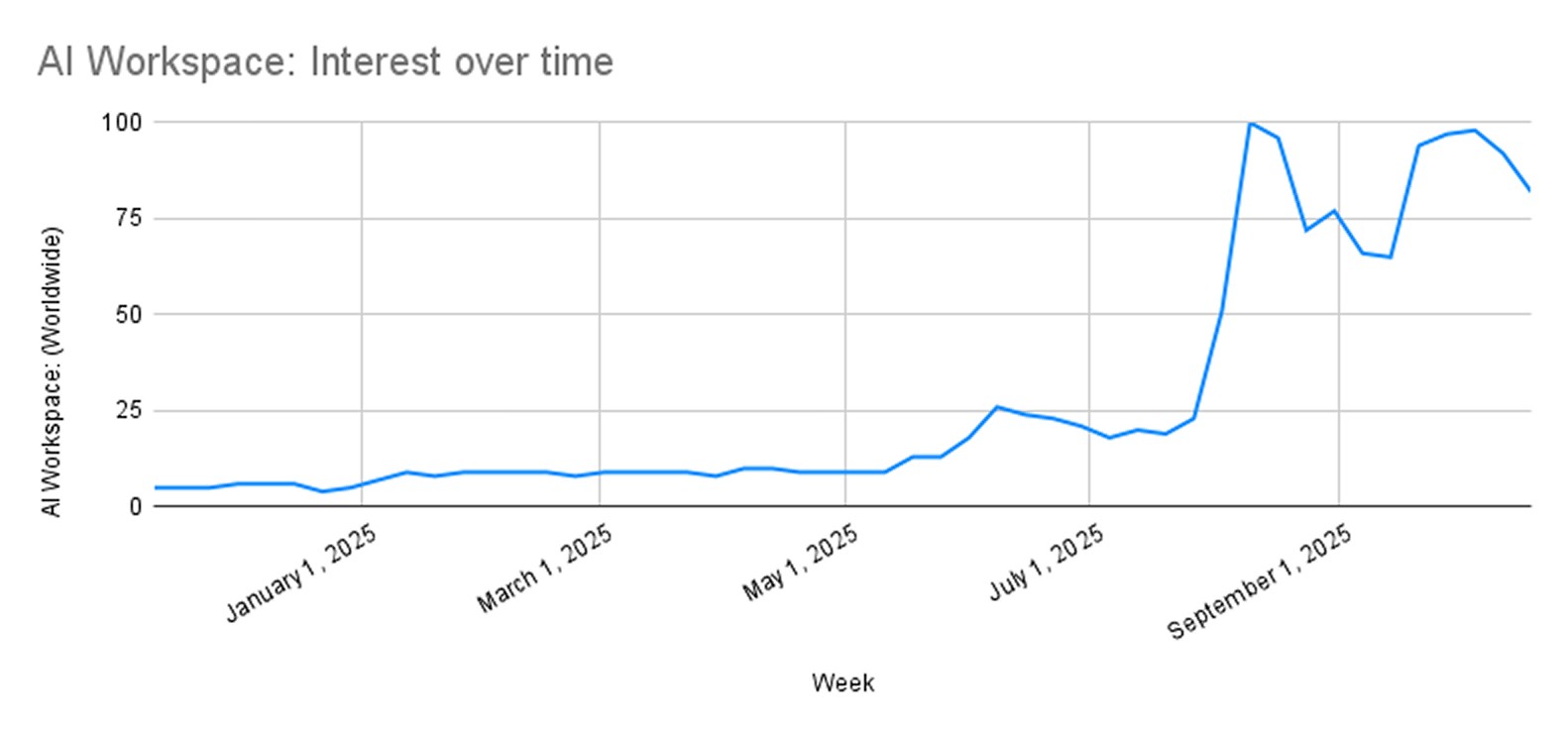
Google Trends data showing the steady rise in U.S. search interest for “AI workspace” from early 2024 to late 2025.
This shift is giving rise to a new category: the AI workspace.
The term is starting to appear everywhere, from Notion’s “AI workspace for teams” to emerging tools like Saga, Glean, Logically, and Skywork. Even long-established platforms such as Miro and Google Workspace are being reshaped by artificial intelligence, though not always in the same way.
Each tool is chasing a similar promise: a space where your ideas, notes, meetings, and next steps live together and where AI helps connect them.
What sets an AI workspace apart
An AI workspace is a unified environment that uses artificial intelligence to connect your notes, meetings, and documents into one living system that keeps context, continuity, and completion in sync.
If traditional productivity tools were filing cabinets, AI workspaces are more like creative partners. They read the room, remember the details, and help move things forward.
A true AI workspace does three things well:
Understands context. It knows that a paragraph in your notes connects to a task or project in your calendar.
Generates outputs. It helps write, summarize, or execute tasks, not just organize them.
Adapts to you. It learns your patterns and preferences so it can anticipate, not just react.
This combination of intelligence, memory, and initiative is what separates AI workspaces from AI features. The best ones feel almost invisible, thinking with you, not for you.
But as more tools adopt the label, not all of them mean the same thing.
Interpreting the idea of an AI workspace
Notion helped define what a “workspace” could be long before AI entered the picture. It was the all-in-one hub for documents, tasks, and notes, flexible enough to become whatever users needed it to be.
Now, with AI woven into its writing and knowledge tools, Notion has turned that foundation into something smarter: an AI workspace that can summarize, draft, and organize as you work.
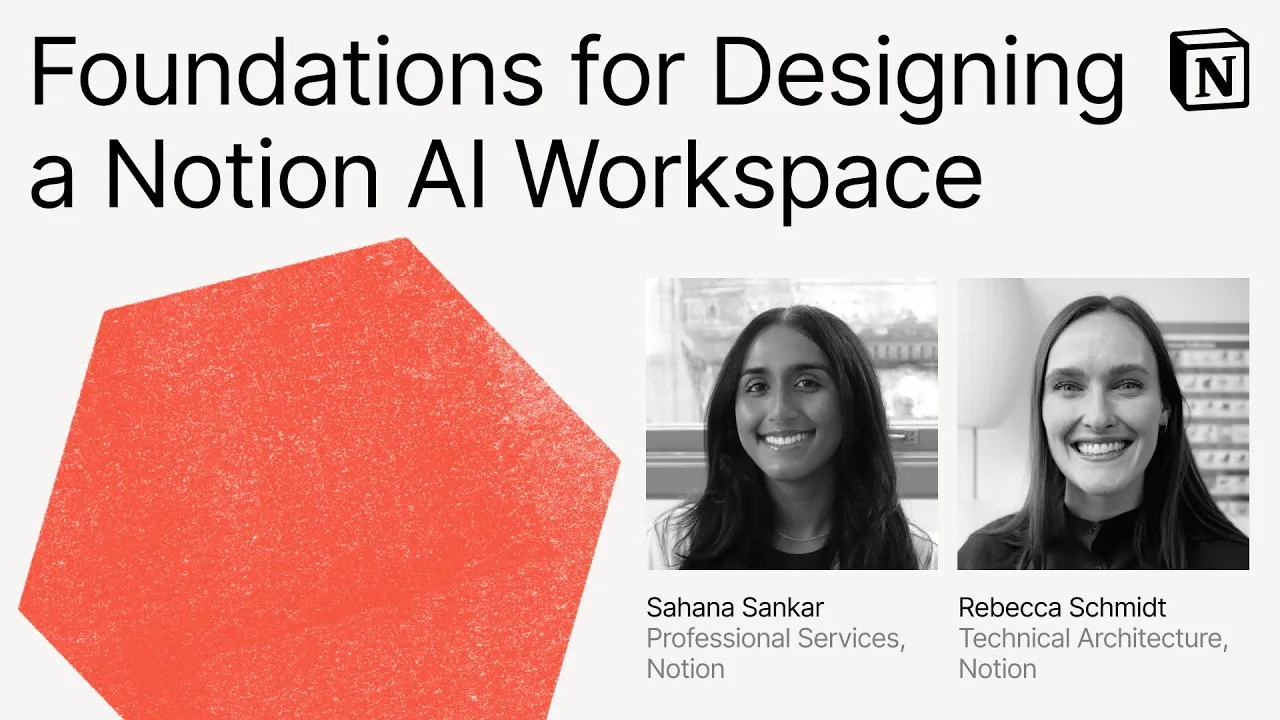
👉🏻WATCH: Make with Notion 2025 explores how thoughtful workspace design helps AI deliver real value.
But Notion’s approach is just one flavor. It’s still rooted in documents, a place where structure and content come first. Others start from different directions:
Logically leans into focus and clarity, stripping away distractions to help people write and reason better.
Saga works more like a mind map that never stops growing, connecting notes into a living knowledge graph.
Glean adds an AI layer across entire companies to make scattered information instantly searchable.
Jeda.ai and Skywork experiment with visual, collaborative spaces that feel closer to digital whiteboards than word processors.
Some tools are built for individual focus, others for collective intelligence. But the most meaningful progress may come from workspaces that merge the two — spaces where you can collaborate not only with your team but with AI agents that understand your shared goals.
When is an AI workspace not an AI workspace?
As the term becomes a buzzword, it’s worth asking what separates true AI workspaces from tools that simply use AI.
Take Google Workspace with Gemini. It’s an extraordinary suite of AI-enhanced tools, each capable, context-aware, and deeply integrated. Gemini can summarize emails, generate presentations, and even act as a meeting assistant.
With Agentspace (now folded into Gemini Enterprise), Google moved closer to the idea of AI-driven environments.
Agentspace combines Gemini’s reasoning capabilities with enterprise data, allowing teams to create custom agents that can search, summarize, and act across systems like Drive, Jira, and Confluence. It’s a powerful model for organizations, a kind of “workspace of workspaces,” where every employee can access or build specialized AI assistants to automate parts of their job.
But even with that sophistication, Google’s model is still a network of AI-enabled apps, not a single, living workspace where context continuously flows from thought to output. Enterprise ecosystems like Gemini and Agentspace orchestrate knowledge across teams. True AI workspaces will help individuals and teams move fluidly from ideas to action, without orchestration at all.
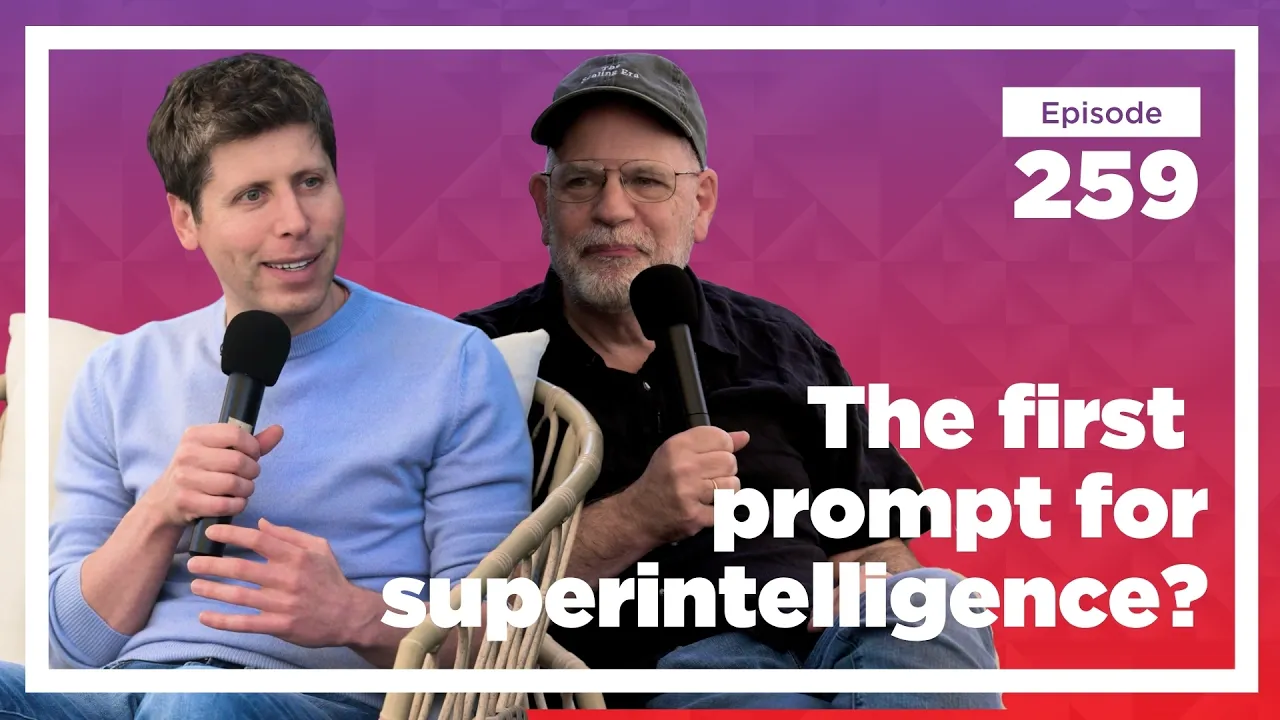
Even OpenAI’s Sam Altman has hinted at what might come next for workplace tools. In a recent conversation with Tyler Cowen, he described the potential for an AI-driven replacement for today’s productivity suite, one where agents handle most of the work and humans step in only when needed.
👉🏻WATCH: Sam Altman discusses the future of AI-driven productivity tools on Conversations with Tyler.
That’s the difference between tools that have AI and tools that are AI workspaces. One enhances productivity. The other is built from the ground up for an AI-native environment.
From files to flow: the new rhythm of work
Most of today’s productivity tools, even the most advanced, still expect humans to do the integration work. You tag, link, and move information between apps — one for writing, one for meetings, one for planning. It’s a constant shuffle of context.
AI workspaces are starting to close those gaps. They act as connective tissue between how you think, what you decide, and what gets done.
Imagine taking notes during a brainstorm and having your workspace instantly draft the project outline. Or summarizing a client call and getting a ready-to-send follow-up. That’s not automation for its own sake, it’s the digital version of working with a sharp assistant who already knows what you mean.
As AI becomes more deeply embedded in our tools, the center of gravity in digital work is shifting again, from documents to decisions. The next generation of tools isn’t being built around where information is stored, but around the moments where work actually happens: meetings, brainstorms, and discussions.
Some newer tools are focusing less on structure and more on flow. They start with the conversations where ideas are formed and carry context forward automatically, turning spoken thoughts and meeting notes into next steps and drafts. That continuity, from discussion to output, is what makes this new generation of tools feel almost human in how they work alongside you.
It’s a quiet but significant evolution. Productivity tools once demanded constant maintenance; AI workspaces are beginning to manage themselves.
Should you try an AI workspace?
If you already work across multiple tools, the short answer is yes. But not every AI workspace fits every kind of work. Choosing the right one depends on how you think and what you do most often.
Here are a few ways to decide if it’s worth trying and what to look for.
1. For creative work
If your day involves writing, brainstorming, or designing, look for an AI workspace that supports flow.
Tools like Notion and Logically help turn early ideas into structured drafts, while visual-first spaces like Figma Make, Jeda or Skywork keep creative thinking flexible.
The key is to choose something that feels like a canvas, not a checklist. It should help you capture sparks of inspiration and turn them into something tangible without breaking your rhythm.
2. For research and academic writing
If your work revolves around reading, analyzing, and connecting ideas, you need a workspace that can think alongside you.
NotebookLM and Saga both excel here, helping you surface connections across large sets of notes or documents. They act like collaborative thinking partners that make it easier to move from insight to synthesis.
3. For project-based or operational roles
If your focus is on moving projects forward, look for a workspace that blends planning and execution.
ClickUp is a strong example. What began as a project management tool has expanded into a converged AI workspace that combines tasks, documents, chat, goals, dashboards, and automations under one roof. Its new AI system, ClickUp Brain, connects context across your work so agents can summarize updates, draft content, or assign tasks automatically.
It’s designed for teams that want to close the gap between planning and doing, offering structure without rigidity.
4. For teams
If collaboration is central to your work, look for AI workspaces that connect context rather than just share files.
Glean, Notion, and Google Workspace all make it easier for teams to access the same knowledge base and surface what matters. The more distributed your team, the more valuable that shared understanding becomes.
5. For leaders and communicators
If most of your work happens through conversation, such as team check-ins, client calls, or investor updates, the hardest part isn’t remembering what was said. It’s acting on it.
AI workspaces built around meetings help bridge that gap. Radiant captures key discussions directly from your Mac and turns them into summaries and next steps you can share or build on. It turns scattered insights from conversations into structured progress, helping leaders spend less time chasing details and more time leading.
Before you try anything new, ask two simple questions:
Does this tool make my work feel lighter or heavier?
Does it help me think better, not just faster?
If the answer to both is yes, you’ve probably found an AI workspace worth keeping.
The end of tool overload, and the return of focus
The modern workday is overflowing with tools, each one promising to make you faster, yet together creating more friction than focus. Between documents, chats, and apps, productivity has become a juggling act.
AI workspaces are the first real correction to that sprawl. They don’t just help you manage work; they bring it back together. Instead of scattered systems competing for your attention, they give you one intelligent environment where ideas flow naturally into action.
The point isn’t to add yet another tool. It’s to bring some calm back to how we work. To replace the chaos of tabs and dashboards with something that feels simpler, more connected, and maybe even a little more human.
FAQs
How does an AI workspace compare to a traditional productivity suite?
A traditional productivity suite gives you separate tools for documents, notes, tasks, and communication. You spend time switching between apps and piecing context together. An AI workspace pulls that information into one place, understands what you’re working on, and surfaces the context you need. Instead of gathering information, you start with clarity and can act immediately.
What features should an AI workspace include?
A strong AI workspace should make your work faster, clearer, and easier. At minimum, it should include:
Fast and accurate search
Meeting summaries and suggested next steps
A focused space for active work
Context-aware suggestions based on recent conversations
Integrations with the tools you use daily
Automatic drafting for follow-ups or updates
The ability to surface relevant information without manual digging